
📧 Mailyo - Free Temporary Email Service
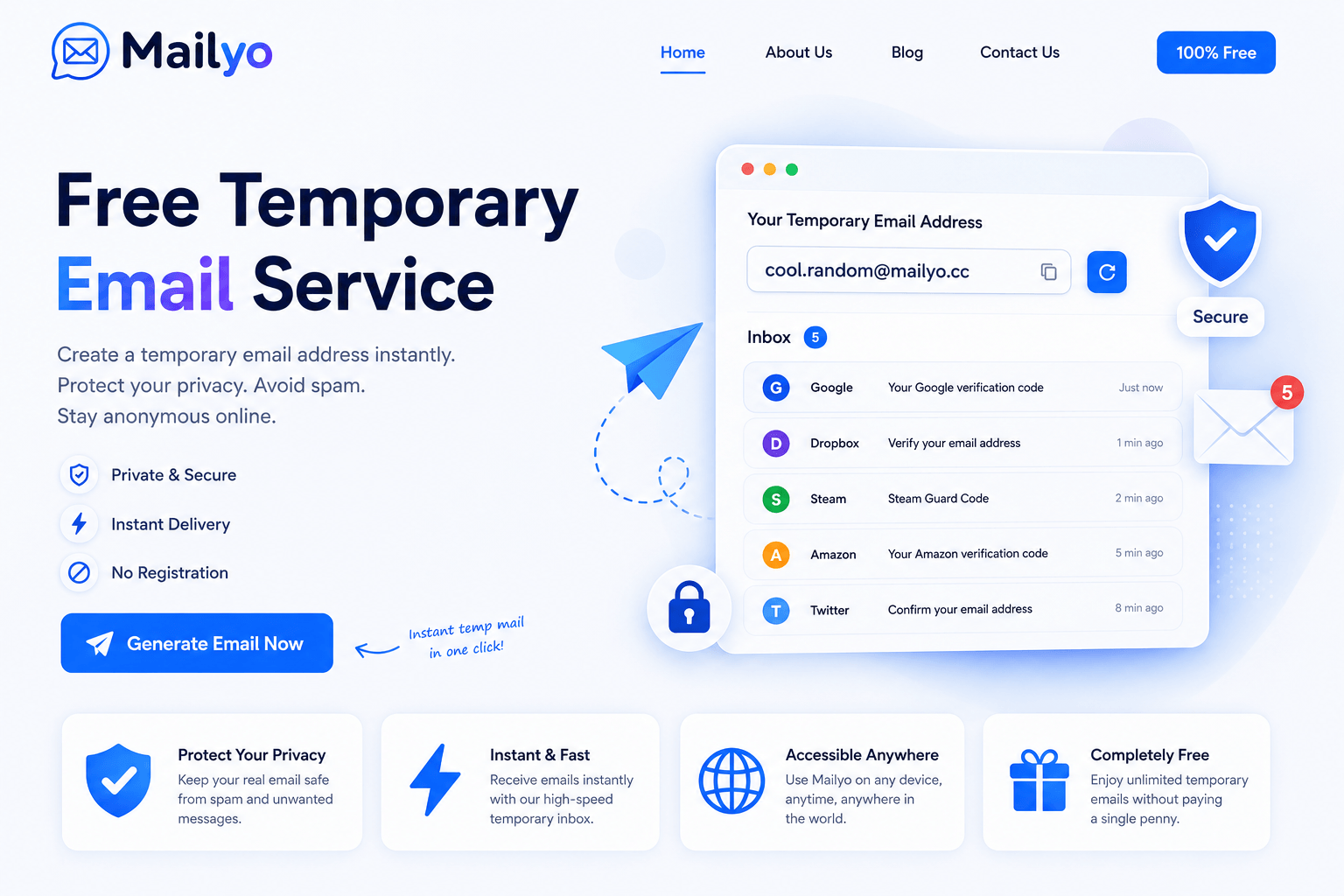
🚀 Generate a Free Temporary Email Instantly
Welcome to Mailyo, your trusted destination for free temporary email addresses. Create a disposable email in seconds without registration, protect your personal inbox from spam, and receive emails instantly—all from a fast, secure, and privacy-focused platform.
Whether you're signing up for a website, testing an application, downloading free resources, or simply want to avoid unwanted marketing emails, Mailyo provides a quick and reliable temporary mailbox whenever you need one.
✨ Why Choose Mailyo?
The internet often requires an email address for registrations, downloads, newsletters, and online services. Unfortunately, sharing your personal email can result in spam, phishing attempts, promotional emails, and unnecessary clutter.
Mailyo solves this problem by providing instant disposable email addresses that allow you to receive emails without exposing your real inbox.
With Mailyo, you can stay anonymous, protect your privacy, and keep your personal email clean.
⚡ Features
📬 Instant Temporary Email
Generate a temporary email address immediately. No waiting, no registration, and no personal information required.
🔒 Privacy Protection
Keep your real email address private and reduce the risk of spam, tracking, and unwanted messages.
🛡️ Secure & Reliable
Mailyo is built with security and reliability in mind, ensuring a smooth and dependable experience.
🚫 No Registration
Use our temporary email service without creating an account.
🌍 Accessible Anywhere
Mailyo works on desktops, tablets, and smartphones, allowing you to receive temporary emails wherever you are.
⚡ Fast Email Delivery
Incoming emails appear within seconds, making verification and testing quick and convenient.
🆓 Completely Free
Enjoy unlimited access to our temporary email service at no cost.
📨 What Is a Temporary Email?
A temporary email (also called Temp Mail, Disposable Email, Throwaway Email, or Fake Email) is an email address that exists for a limited period.
Instead of sharing your personal inbox everywhere online, you can use a temporary email to:
- Register on websites
- Receive verification emails
- Download free content
- Test applications
- Protect your identity
- Avoid spam
- Prevent unwanted newsletters
Once you no longer need the email address, simply stop using it.
💡 Why Millions Use Temporary Email
Temporary email services have become essential for protecting online privacy.
Using a disposable email helps you:
- 📥 Keep your personal inbox clean
- 🚫 Avoid spam emails
- 🔒 Protect sensitive email addresses
- 🛍️ Register on shopping websites safely
- 👨💻 Test applications and websites
- 📚 Access educational resources
- 🎮 Sign up for gaming platforms
- 💼 Create temporary accounts
- 🌐 Browse the internet more privately
Mailyo makes all of this simple, fast, and free.
👨💻 Perfect For
Mailyo is ideal for:
- Developers
- QA Testers
- Students
- Online Shoppers
- Digital Marketers
- Privacy Enthusiasts
- Businesses
- Everyday Internet Users
Whether you're creating a temporary account or testing email delivery, Mailyo helps you get the job done quickly.
🔐 Privacy Comes First
Your privacy is one of our highest priorities.
Mailyo is designed to let users generate temporary email addresses without registration or sharing unnecessary personal information.
Our goal is to provide a secure, anonymous, and easy-to-use temporary email service that helps users browse the web with confidence.
🌟 Why Mailyo Stands Out
Unlike many temporary email providers, Mailyo focuses on speed, simplicity, and reliability.
Our platform is built to offer:
- ⚡ Lightning-fast performance
- 📧 Instant inbox creation
- 🔒 Privacy-focused experience
- 📱 Responsive design
- 🌍 Worldwide availability
- 🆓 Free access
- 🚀 Modern user interface
- 🛡️ Secure infrastructure
We're continuously improving our platform to provide the best temporary email experience possible.
❓ Frequently Asked Questions
Is Mailyo free?
Yes! Mailyo is completely free to use.
Do I need to register?
No. You can generate and use a temporary email instantly without creating an account.
Can I receive verification emails?
Yes. Mailyo supports receiving verification emails, activation links, and one-time passwords (OTPs) from many online services.
Is my personal email protected?
Absolutely. Since you never share your real email address, your personal inbox remains private and protected from unwanted spam.
How long does a temporary email last?
Temporary email addresses are designed for short-term use. Availability may vary depending on system settings and service requirements.
🌍 Explore More
Learn more about Mailyo through our additional pages:
- ℹ️ About Us: https://mailyo.cc/about-us
- 📩 Contact Us: https://mailyo.cc/contact-us
- 📝 Blog: https://mailyo.cc/blog
These pages provide more information about our mission, support, updates, and helpful guides related to temporary email services.
❤️ Start Using Mailyo Today
Generate your free temporary email address now and experience a faster, safer, and smarter way to receive emails online.
Whether you need a disposable inbox for a few minutes or want to protect your primary email from spam, Mailyo is ready whenever you are.